<!DOCTYPE html>
<html lang="en">

<head>
        <base href="https://www.fixano.tools/">
    <meta charset="UTF-8">
    <meta name="viewport" content="width=device-width, initial-scale=1.0">
    <title>Fixano CSS Minifier and Beautifier Free Online Tool – No Sign Up | Fixano</title>
    <meta name="description" content="Minify and beautify CSS easily with Fixano CSS Minifier and Beautifier Free Online Tool. Optimize HTML &amp; JS too. No sign up required.">
    <meta name="keywords" content="Fixano blog, how to [Topic], tool tutorial, fixano guide, pdf/image tool help">
    <meta name="robots" content="index, follow">
    <meta name="viewport" content="width=device-width, initial-scale=1.0">

    <meta property="og:title" content="Fixano Blog - Fixano CSS Minifier and Beautifier Free Online Tool – No Sign Up | Fixano">
    <meta property="og:description" content="Minify and beautify CSS easily with Fixano CSS Minifier and Beautifier Free Online Tool. Optimize HTML &amp; JS too. No sign up required." />
    <meta property="og:url" content="https://fixano.tools/blog/fixano-css-minifier-and-beautifier-free-online-tool-no-sign-up-1775190241" />
    <meta property="og:type" content="article">
    <meta property="og:image" content="https://www.fixano.tools/uploads/1775190241_CSS Minifier and Beautifier.webp" />

    <meta name="twitter:card" content="summary_large_image">
    <meta name="twitter:title" content="Fixano CSS Minifier and Beautifier Free Online Tool – No Sign Up | Fixano" />
    <meta name="twitter:description" content="Minify and beautify CSS easily with Fixano CSS Minifier and Beautifier Free Online Tool. Optimize HTML &amp; JS too. No sign up required." />
    <meta name="twitter:image" content="https://www.fixano.tools/uploads/1775190241_CSS Minifier and Beautifier.webp" />
    <link rel="canonical" href="https://fixano.tools/blog/fixano-css-minifier-and-beautifier-free-online-tool-no-sign-up-1775190241" />


    <!-- favicorn -->
    <link rel="shortcut icon" href="image/favicorn.webp" type="image/x-icon">

    <!-- Google Fonts: Poppins -->
    <link rel="preconnect" href="https://fonts.googleapis.com">
    <link rel="preconnect" href="https://fonts.gstatic.com" crossorigin>
    <link href="https://fonts.googleapis.com/css2?family=Poppins:wght@400;500;600;700&display=swap" rel="stylesheet">

    <!-- RemixIcon for Icons -->
    <link href="https://cdn.jsdelivr.net/npm/remixicon@4.2.0/fonts/remixicon.css" rel="stylesheet" />

    <link rel="stylesheet" href="css/style.css" defer>
    <link rel="stylesheet" href="css/blog.css">

    <!-- Google Tag Manager -->
    <script>
        (function(w, d, s, l, i) {
            w[l] = w[l] || [];
            w[l].push({
                'gtm.start': new Date().getTime(),
                event: 'gtm.js'
            });
            var f = d.getElementsByTagName(s)[0],
                j = d.createElement(s),
                dl = l != 'dataLayer' ? '&l=' + l : '';
            j.async = true;
            j.src =
                'https://www.googletagmanager.com/gtm.js?id=' + i + dl;
            f.parentNode.insertBefore(j, f);
        })(window, document, 'script', 'dataLayer', 'GTM-TSPTLP3B');
    </script>
    <!-- End Google Tag Manager -->

    <!-- Ads Tag -->
    <script async src="https://pagead2.googlesyndication.com/pagead/js/adsbygoogle.js?client=ca-pub-7513517409716146" crossorigin="anonymous"></script>

</head>

<body>


    <!-- Google Tag Manager (noscript) -->
    <noscript><iframe src="https://www.googletagmanager.com/ns.html?id=GTM-TSPTLP3B"
            height="0" width="0" style="display:none;visibility:hidden"></iframe></noscript>
    <!-- End Google Tag Manager (noscript) -->

    <!--===================== HEADER ===================== -->
      <!-- loader -->
  <div class="loading-overlay" id="loading-overlay">
      <div class="loader-wrapper">
          <div class="loader-icon">
              <img src="image/loader.webp" alt="">
          </div>
          <p id="loading-text">Processing...</p>
      </div>
  </div>
  <!-- loader -->

  <header class="header">
      <nav class="nav container">
          <a href="https://www.fixano.tools/" class="logo">
              <img src="image/logo.webp" alt="Fixano Website Logo" width="150" height="50" loading="eager">
          </a>

          <div class="nav-menu" id="nav-menu">
              <ul class="nav-list">
                  <li class="nav-item"><a href="https://www.fixano.tools/" class="nav-link">Home</a></li>
                  <li class="nav-item"><a href="https://www.fixano.tools/tool" class="nav-link">All Tools</a></li>
                  <li class="nav-item"><a href="https://www.fixano.tools/blog_list" class="nav-link">Blog</a></li>
                  <li class="nav-item"><a href="https://www.fixano.tools/help" class="nav-link">Help</a></li>
                  <li class="nav-item"><a href="https://www.fixano.tools/about" class="nav-link">About</a></li>
                  <li class="nav-item"><a href="https://www.fixano.tools/contact" class="nav-link">Contact</a></li>
              </ul>

              <div class="nav-close" id="nav-close">
                  <i class="ri-close-line"></i>
              </div>
              
          </div>

          <div class="nav-toggle" id="nav-toggle">
              <i class="ri-menu-line"></i>
          </div>
      </nav>
  </header>

    <!-- Vertical Side Banners -->
  <div class="side-ads-container">
      <div class="side-ad left-ad">
          <script type="text/javascript">
              atOptions = {
                  'key' : 'b2783084c3aaa038dcc7a4ee5399d3f6',
                  'format' : 'iframe',
                  'height' : 600,
                  'width' : 160,
                  'params' : {}
              };
          </script>
          <script type="text/javascript" src="https://www.highperformanceformat.com/b2783084c3aaa038dcc7a4ee5399d3f6/invoke.js"></script>
      </div>
      <div class="side-ad right-ad">
          <script type="text/javascript">
              atOptions = {
                  'key' : 'b2783084c3aaa038dcc7a4ee5399d3f6',
                  'format' : 'iframe',
                  'height' : 600,
                  'width' : 160,
                  'params' : {}
              };
          </script>
          <script type="text/javascript" src="https://www.highperformanceformat.com/b2783084c3aaa038dcc7a4ee5399d3f6/invoke.js"></script>
      </div>
  </div>

  <style>
      .side-ad {
          position: fixed;
          top: 150px;
          width: 160px;
          height: 600px;
          z-index: 100;
      }
      .left-ad { left: 20px; }
      .right-ad { right: 20px; }

      @media screen and (max-width: 1600px) {
          .side-ad { display: none !important; }
      }
  </style>
  

    <main>
        <section class="section">
            <div class="container">
                <header class="all-tools-header"></header>
                <div class="blog-post-container">
                                            <!-- If post is found, display it -->
                        <img src="https://www.fixano.tools/uploads/1775190241_CSS Minifier and Beautifier.webp" alt="Fixano CSS Minifier and Beautifier Free Online Tool – No Sign Up" class="post-header-img">
                        <h1 class="post-title">Fixano CSS Minifier and Beautifier Free Online Tool – No Sign Up</h1>
                        <p class="post-meta">
                            By Fixano on October 16, 2025                        </p>
                        <div class="post-content">
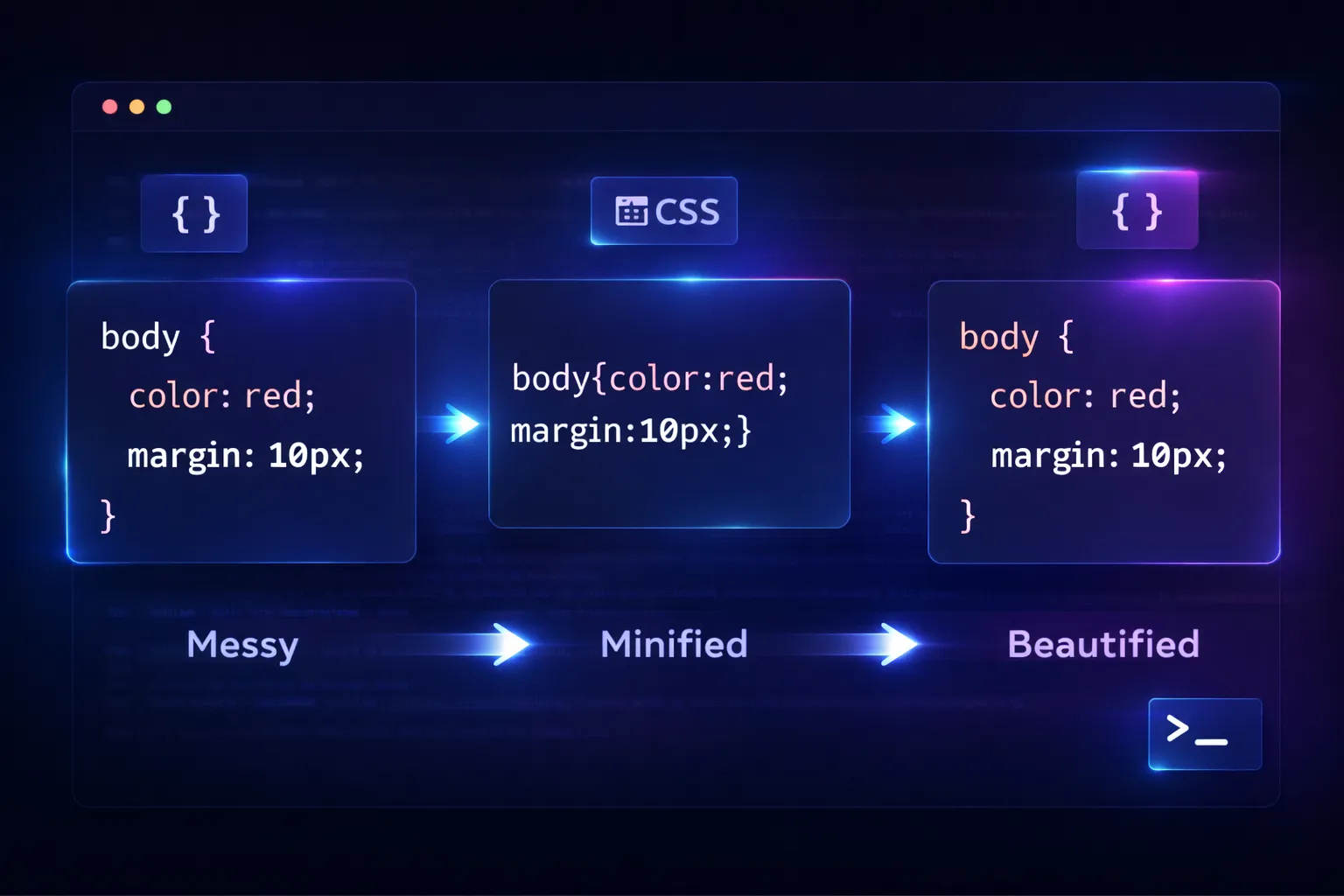
                            <h2 class="ql-align-justify"><span style="color: rgb(255, 255, 255);">Minify and beautify CSS easily with Fixano CSS Minifier and Beautifier Free Online Tool. Optimize HTML &amp; JS too. No sign up required.</span></h2><p class="ql-align-justify"><span style="background-color: transparent;">In today’s fast-paced technological world, web development plays a vital role in creating efficient and user-friendly websites. One of the key tasks for developers is to minify and beautify CSS code. This process is essential for performance optimization and code readability. For web developers, technical professionals, and website managers, using a CSS Minifier and Beautifier Free Tool is highly important. Without minifying and beautifying CSS files, two major issues can occur:</span></p><ol><li class="ql-align-justify"><span style="background-color: transparent;">Performance problems on the user’s side due to UN minified code.</span></li><li class="ql-align-justify"><span style="background-color: transparent;">Developer inefficiency caused by messy, unformatted code.</span></li></ol><p class="ql-align-justify"><span style="background-color: transparent;">While there are many online tools available to minify and beautify CSS, &nbsp;</span><a href="https://www.fixano.tools/" target="_blank" style="background-color: transparent; color: rgb(17, 85, 204);">Fixano </a><span style="background-color: transparent;">stands out as one of the most reliable and user-friendly platforms. Fixano is a multi-purpose online tool that offers a wide range of web utilities, including CSS Minifier and Beautifier, HTML Minifier, and JS Minifier (JS Minify).</span></p><p class="ql-align-justify"><span style="background-color: transparent;">The </span><a href="https://www.fixano.tools/" target="_blank" style="background-color: transparent; color: rgb(17, 85, 204);">Fixano </a><span style="background-color: transparent;">CSS Minifier and Beautifier Free Tool allow users to easily compress and format their CSS code without any hassle. It helps improve website performance, saves time, and keeps your code clean and organized. Best of all, Fixano is a Free Tool and there is No Sign Up Required — users can directly minify and beautify CSS, HTML, and JS files online anytime.</span></p><p class="ql-align-justify"><span style="background-color: transparent;">Now, developers and website professionals can enhance their workflow and website speed effortlessly using Fixano’s CSS Minifier and Beautifier Free Tool.</span></p><h2 class="ql-align-justify"><span style="background-color: transparent;">What is a CSS Minifier?</span></h2><p class="ql-align-justify"><span style="background-color: transparent;">A CSS Minifier is a tool used to minify CSS code by removing unnecessary spaces, comments, and characters from your style sheet. This process reduces file size and helps web pages load faster, improving overall website performance. The Fixano CSS Minifier and Beautifier Online Free Tool allow developers to compress their CSS efficiently with just one click. It’s a free tool with no sign up required, making it quick and convenient for developers and website managers.</span></p><h2 class="ql-align-justify"><span style="background-color: transparent;">What is a CSS Beautifier?</span></h2><p class="ql-align-justify"><span style="background-color: transparent;">A CSS Beautifier, also known as a CSS Formatter, helps make your CSS code more readable and well-organized. The Fixano CSS Beautifier Free Online Tool automatically formats your CSS by adding proper indentation, line breaks, and spacing. This improves code structure, making it easier for developers to understand and maintain their style sheets.</span></p><p class="ql-align-justify"><span style="background-color: transparent;">With Fixano, you can not only minify CSS or beautify it, but also minify JS and minify HTML effortlessly. It’s an all-in-one Best CSS Minifier and JS Minifier platform that simplifies your web development workflow.</span></p><p class="ql-align-justify"><span style="background-color: transparent;">Whether you’re a web developer or a technical professional, Fixano’s CSS Minifier and Beautifier Online Free Tool is the perfect choice to optimize your code — completely free, with no sign up required.</span></p><p class="ql-align-justify"><span style="background-color: transparent;">What are the Difference between CSS Minifier and CSS Beautifier?</span></p><p class="ql-align-justify"><span style="background-color: transparent;">In modern web development, CSS Minifier vs. CSS Beautifier are a common topic among developers. Both play important but opposite roles in website optimization and development workflow. Fixano, a free tool and multi-tool online platform, offers both CSS Minifier and Beautifier Online Free Tools under its Developer Tools section. Apart from that, Fixano also provides PDF Tools, Image Tools, and more — all available in one single online platform with no sign up required.</span></p><p class="ql-align-justify"><span style="background-color: transparent;">Here are the main differences between a CSS Minifier and a CSS Beautifier:</span></p><h3 class="ql-align-justify"><span style="background-color: transparent;">CSS Minifier</span></h3><ol><li class="ql-align-justify"><strong style="background-color: transparent;">Purpose</strong><span style="background-color: transparent;">: The primary purpose of a CSS Minifier is to minify CSS code by reducing file size. Developers, technical professionals, and website managers use it to make websites load faster and perform better.</span></li><li class="ql-align-justify"><strong style="background-color: transparent;">Process</strong><span style="background-color: transparent;">: When you use the Fixano CSS Minifier and Beautifier Online Free Tool, it automatically removes unnecessary characters from your CSS code — including spaces, tabs, line breaks, comments, and redundant semicolons. It can even shorten color codes (like #FFFFFF to #FFF) and identifiers to optimize file size.</span></li><li class="ql-align-justify"><strong style="background-color: transparent;">Outcome</strong><span style="background-color: transparent;">: The result is a compact, machine-optimized version of your CSS code that is lightweight and ideal for deployment, though not easy for humans to read.</span></li><li class="ql-align-justify"><strong style="background-color: transparent;">Usage</strong><span style="background-color: transparent;">: CSS Minifier is mainly used for production environments where page speed, performance, and optimization are top priorities.</span></li></ol><h3 class="ql-align-justify"><span style="background-color: transparent;">CSS Beautifier</span></h3><ol><li class="ql-align-justify"><strong style="background-color: transparent;">Purpose</strong><span style="background-color: transparent;">: The Fixano CSS Beautifier Free Online Tool is designed to beautify CSS code by improving its readability and structure. It helps developers maintain clean and organized code during the development process.</span></li><li class="ql-align-justify"><strong style="background-color: transparent;">Process</strong><span style="background-color: transparent;">: Using the Fixano Beautifier Free Tool, your CSS code is automatically formatted with proper indentation, line breaks, and consistent spacing. This makes the style sheet easy to read and manage.</span></li><li class="ql-align-justify"><strong style="background-color: transparent;">Outcome</strong><span style="background-color: transparent;">: The Fixano CSS Beautifier creates well-structured, human-readable code that simplifies debugging, editing, and collaboration among developers.</span></li><li class="ql-align-justify"><strong style="background-color: transparent;">Usage</strong><span style="background-color: transparent;">: CSS Beautifier is ideal for development environments, where clarity, maintainability, and teamwork are essential.</span></li></ol><p class="ql-align-justify"><span style="background-color: transparent;"><span class="ql-cursor">﻿﻿﻿﻿﻿﻿﻿﻿﻿﻿</span></span></p><p class="ql-align-justify"><span style="background-color: transparent;"><img src="https://www.fixano.tools/uploads/1760614379_CSS Formatter Fixano free tool.webp"></span></p><h2 class="ql-align-justify"><span style="background-color: transparent;">How to Minify and Beautify CSS in Fixano</span></h2><p class="ql-align-justify"><a href="https://www.fixano.tools/" target="_blank" style="background-color: transparent; color: rgb(17, 85, 204);">Fixano </a><span style="background-color: transparent;">CSS Minifier and Beautifier is a free online tool designed to help developers and technical users minify and beautify CSS code quickly and efficiently. This Fixano CSS Free Online Tool also supports HTML and JS — allowing you to minify JS, minify HTML, and beautify CSS all in one place. It makes your workflow smoother, faster, and more productive.</span></p><p class="ql-align-justify"><span style="background-color: transparent;">The Fixano CSS Minifier vs Beautifier Free Online Tool is simple to use. Just follow these steps to minify or beautify your CSS code:</span></p><p class="ql-align-justify"><span style="background-color: transparent;">Steps to Use Fixano CSS Minifier and Beautifier Online Tool:</span></p><ol><li class="ql-align-justify"><span style="background-color: transparent;">Visit the Fixano Website: Go to the official website by clicking this link: </span><a href="https://www.fixano.tools/" target="_blank" style="background-color: transparent; color: rgb(17, 85, 204);">Fixano.tools</a><span style="background-color: transparent;">.</span></li><li class="ql-align-justify"><span style="background-color: transparent;">Navigate to the Tool Section: Click on All Tools → Developer Tools → Fixano CSS Minifier / Beautifier, then select Try Now.</span></li><li class="ql-align-justify"><span style="background-color: transparent;">Paste or Upload Your CSS Code: On the left panel, you can either paste your CSS (Cascading Style Sheet) code directly or upload your CSS file from your IDE.</span></li><li class="ql-align-justify"><span style="background-color: transparent;">Adjust Settings:&nbsp; Below the code box, you’ll find settings such as Indent. Adjust them as needed and click the Format button or Minify button as required to see the result.</span></li><li class="ql-align-justify"><span style="background-color: transparent;">View the Output:&nbsp; On the right panel, the formatted or minified CSS code will appear instantly.</span></li><li class="ql-align-justify"><span style="background-color: transparent;">Copy or Clear the Code: Once done, you can copy the formatted code and paste in your IDE. You can click on the clear icon to clear or delete the code.</span></li></ol><p class="ql-align-justify"><span style="background-color: transparent;">With these simple steps, you can easily minify CSS or beautify CSS using the Fixano CSS Free Online Tool.</span></p><p class="ql-align-justify"><span style="background-color: transparent;">In addition to CSS, Fixano also lets you minify JS and minify HTML, making it a complete developer-friendly solution for code optimization and formatting.</span></p><p class="ql-align-justify"><span style="background-color: transparent;">Use the Fixano Best CSS Minifier and Beautifier Free Tool Online — it’s 100% free and requires no sign up. Simplify your development process today with Fixano.</span></p><h2 class="ql-align-justify"><span style="background-color: transparent;">Why Choose the CSS Minifier and Beautifier Tool in Fixano?</span></h2><p class="ql-align-justify"><span style="background-color: transparent;">In the world of web development, clean, optimized, and well-structured code plays a major role in improving website performance. The Fixano CSS Minifier and Beautifier Online Free Tool is the perfect solution for developers and technical professionals who want to minify CSS, beautify CSS, and even minify JS and HTML — all in one simple, free online tool, with no sign up required.</span></p><p class="ql-align-justify"><span style="background-color: transparent;">Fixano CSS Minifier – Boost Website Speed and Efficiency</span></p><p class="ql-align-justify"><span style="background-color: transparent;">The Fixano CSS Minifier Free Tool helps reduce the file size of your CSS code by removing unnecessary characters and formatting, such as:</span></p><ul><li class="ql-align-justify"><span style="background-color: transparent;">&nbsp;Extra white spaces (spaces, tabs, new lines)</span></li><li class="ql-align-justify"><span style="background-color: transparent;">Comments and redundant semicolons</span></li><li class="ql-align-justify"><span style="background-color: transparent;">Unused or repeated code</span></li><li class="ql-align-justify"><span style="background-color: transparent;">Long property values (for example, converting margin: 0px 0 px 0px 0 px; to margin: 0;)</span></li></ul><p class="ql-align-justify"><span style="background-color: transparent;">This minified CSS code is ideal for production environments, helping improve website performance and loading speed.</span></p><p class="ql-align-justify"><span style="background-color: transparent;">Key Benefits:</span></p><ol><li class="ql-align-justify"><span style="background-color: transparent;">Faster Loading Times: By minimizing CSS files, web pages load quicker, resulting in a smoother user experience and improved performance.</span></li><li class="ql-align-justify"><span style="background-color: transparent;">Reduced Bandwidth Usage: Smaller file sizes mean less data is transferred, which benefits users with limited bandwidth or those browsing on mobile networks.</span></li><li class="ql-align-justify"><span style="background-color: transparent;">Improved SEO Rankings: Search engines reward faster websites, so optimizing your CSS can help enhance your Search Engine Optimization (SEO).</span></li></ol><p class="ql-align-justify"><span style="background-color: transparent;">Fixano CSS Beautifier – Organize and Enhance Readability</span></p><p class="ql-align-justify"><span style="background-color: transparent;">The Fixano CSS Beautifier Free Online Tool helps make your CSS code clean, structured, and easy to read. It automatically formats your code by:</span></p><ul><li class="ql-align-justify"><span style="background-color: transparent;">Adding proper indentation</span></li><li class="ql-align-justify"><span style="background-color: transparent;">&nbsp;Including clear line breaks</span></li><li class="ql-align-justify"><span style="background-color: transparent;">&nbsp;Ensuring consistent spacing around selectors, properties, and values</span></li></ul><p class="ql-align-justify"><span style="background-color: transparent;">A beautified CSS file improves code readability, making it easier to understand, debug, and maintain — especially when collaborating with other developers.</span></p><p class="ql-align-justify"><span style="background-color: transparent;">Fixano – The All-in-One Developer Free Tool</span></p><p class="ql-align-justify"><span style="background-color: transparent;">The Fixano CSS Minifier and Beautifier Online Free Tool allow you to minify and beautify CSS, JS, and HTML effortlessly — all in just one click.</span></p><h2 class="ql-align-justify"><span style="background-color: transparent;">FAQs on CSS Minifier and Beautifier – Fixano Free Online Tool</span></h2><p class="ql-align-justify"><span style="background-color: transparent;">&nbsp;Below are the most frequently asked questions about the Fixano CSS Minifier and Beautifier Free Online Tool — a free tool designed for developers to minify CSS, beautify CSS, and even optimize HTML and JS code.</span></p><h3 class="ql-align-justify"><span style="background-color: transparent;">&nbsp;Q1: What is the Fixano CSS Minifier Online Free Tool?</span></h3><p class="ql-align-justify"><span style="background-color: transparent;">Ans: The Fixano CSS Minifier is a free online tool that removes unnecessary spaces, comments, and extra characters from your stylesheet to reduce the file size of your CSS. This helps websites load faster and perform better.</span></p><p class="ql-align-justify"><span style="background-color: transparent;">Fixano, as a leading multi-purpose online platform, provides numerous tools in one place — including the CSS Minifier and Beautifier under the Developer Tools section. It allows users to minify CSS easily and efficiently.</span></p><h3 class="ql-align-justify"><span style="background-color: transparent;">Q2: What is the Fixano CSS Beautifier Online Free Tool?</span></h3><p class="ql-align-justify"><span style="background-color: transparent;">Ans: The Fixano CSS Beautifier, also known as the Fixano CSS Formatter, is a free tool that formats and organizes your CSS code to make it more readable and well-structured. It automatically adds indentation, spacing, and line breaks to enhance the clarity of your style sheet. Within the Fixano Minifier / Beautifier Free Online Tool, simply paste your code and click on the Format button to beautify your CSS in seconds.</span></p><h3 class="ql-align-justify"><span style="background-color: transparent;">Q3: Can I Minify or Beautify HTML and JS Code Along with CSS?</span></h3><p class="ql-align-justify"><span style="background-color: transparent;">Ans: Yes, the Fixano Minifier / Beautifier Free Online Tool supports not only CSS but also HTML and JS code. You can minify HTML, beautify CSS, or minify JS alternately within the same tool — all in one convenient platform.</span></p><h3 class="ql-align-justify"><span style="background-color: transparent;">Q4: Is the Fixano CSS Minifier and Beautifier Tool Free?</span></h3><p class="ql-align-justify"><span style="background-color: transparent;">Ans: Absolutely! The Fixano Minifier / Beautifier Free Online Tool is completely free to use, and there is no sign up required. You can start using it instantly from your browser without any restrictions.</span></p><h3 class="ql-align-justify"><span style="background-color: transparent;">Q5: Is the Fixano CSS Minifier and Beautifier Tool Secure?</span></h3><p class="ql-align-justify"><span style="background-color: transparent;">Ans: Yes, Fixano ensures complete data privacy and security. All operations are performed within your browser, and no data is uploaded to any external server. Your code remains private, safe, and 100% secure while using the Fixano Free Tool.</span></p><h3 class="ql-align-justify"><span style="background-color: transparent;">Q6: How Can I Visit the Fixano Tool to Explore All Tools?</span></h3><p class="ql-align-justify"><span style="background-color: transparent;">Ans: To explore all the tools offered by Fixano, simply visit </span><a href="https://www.fixano.tools/" target="_blank" style="background-color: transparent; color: rgb(17, 85, 204);">Fixano.tools</a><span style="background-color: transparent;">.</span></p><h3 class="ql-align-justify"><span style="background-color: transparent;">Q7: What Tools Are Available in Fixano?</span></h3><p class="ql-align-justify"><span style="background-color: transparent;">Ans: Fixano, as a leading free online platform, offers a wide range of web utilities including:</span></p><ul><li class="ql-align-justify"><span style="background-color: transparent;">&nbsp;PDF Tools</span></li><li class="ql-align-justify"><span style="background-color: transparent;">&nbsp;Image Tool</span></li><li class="ql-align-justify"><span style="background-color: transparent;">Developer Tools (CSS, HTML, JS, etc.)</span></li></ul><p class="ql-align-justify"><span style="background-color: transparent;">Visit </span><a href="https://www.fixano.tools/" target="_blank" style="background-color: transparent; color: rgb(17, 85, 204);">Fixano.tools</a><span style="background-color: transparent;"> to explore all available tools.</span></p><p class="ql-align-justify"><span style="background-color: transparent;">Q8: What Is the Pathway to Visit the Fixano CSS Minifier and Beautifier Tool?</span></p><p class="ql-align-justify"><span style="background-color: transparent;">Ans: Follow the steps below to access the Fixano CSS Minifier / Beautifier Free Online Tool: Go to Fixano.tools Click on All Tools → Developer Tools → Fixano CSS Minifier / Beautifier.</span></p><p class="ql-align-justify"><span style="background-color: transparent;">Then, select Try Now to start using the tool instantly.</span></p><h2 class="ql-align-justify"><span style="background-color: transparent;">Final thought</span></h2><p class="ql-align-justify"><span style="background-color: transparent;">In conclusion, Fixano CSS Minifier and Beautifier Free Online Tool is the best free tool for developers to minify CSS, beautify CSS, minify HTML, and minify JS effortlessly. With no sign up required, Fixano simplifies code optimization for faster and cleaner web development. Choose Fixano to enhance performance, readability, and efficiency — all in one platform.</span></p><p class="ql-align-justify"><br></p><p><br></p>                        </div>
                                    </div>
        </section>
        </section>
    </main>

    <!--======================= FOOTER ==========================-->
    <footer class="footer">
    <div class="container">
        <div class="footer-grid">
            <div class="footer-about">
                <a href="https://www.fixano.tools/" class="logo">
                    <img src="image/logo.webp" alt="Fixano Website Footer Logo" width="150" height="50" loading="lazy">
                </a>
                <p>Your ultimate multi-tool hub for all your digital needs. Fast, secure, and completely free to use.
                </p>
                <div class="social-links">
                    <!-- <a href="#"><i class="ri-instagram-line"></i></a> -->
                </div>
            </div>
            <div class="footer-links">
                <h4>Tools</h4>
                <ul>
                    <li><a href="https://www.fixano.tools/tool?filter=pdf">PDF Tools</a></li>
                    <li><a href="https://www.fixano.tools/tool?filter=image">Image Tools</a></li>
                    <li><a href="https://www.fixano.tools/tool?filter=dev">Dev Tools</a></li>
                    <li><a href="https://www.fixano.tools/tool?filter=tech">Tech Utility Tools</a></li>
                    <li><a href="https://www.fixano.tools/tool?filter=downloader">Social Media Downloader</a></li>
                </ul>
            </div>
            <div class="footer-links">
                <h4>Company</h4>
                <ul>
                    <li><a href="https://www.fixano.tools/about">About Us</a></li>
                    <li><a href="https://www.fixano.tools/contact">Contact</a></li>
                    <li><a href="https://www.fixano.tools/blog_list">Blog</a></li>
                </ul>
            </div>
            <div class="footer-links">
                <h4>Legal</h4>
                <ul>
                    <li><a href="https://www.fixano.tools/privacy-policy">Privacy Policy</a></li>
                    <li><a href="https://www.fixano.tools/terms-of-service">Terms of Service</a></li>
                </ul>
            </div>
        </div>


            <!-- Footer Banner Ad -->
            <div class="footer-ad" style="text-align: center; padding: 20px 0 10px 0;">
                <script async="async" data-cfasync="false"
                    src="https://pl28862532.profitablecpmratenetwork.com/69fefd71a311ebcf7327111069cacbb8/invoke.js"></script>
                <div id="container-69fefd71a311ebcf7327111069cacbb8"></div>
            </div>

        
        <div class="footer-bottom">
            <p>© 2025 Fixano. All rights reserved.</p>
            <p>A Touch of Tech <i class="ri-heart-fill"></i> by <a href="https://shvinfotech.com/">Shv Infotech</a></p>
        </div>
    </div>
</footer>

<!-- Popunder Ads -->
<script type='text/javascript'
    src='//pl28862475.profitablecpmratenetwork.com/09/80/d9/0980d9accede81f08081268e8265e487.js'></script>


    <script src="js/main.js" defer></script>
    <!-- <script src="js/blog-post.js" defer></script> -->
</body>

</html>